

Why Enterprise Edition
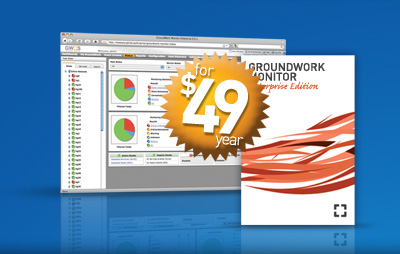
Enterprise Edition 6.0 delivers actionable notifications by continuously monitoring your critical servers, network devices and applications.
Cut through noise
Enterprise Edition includes de-duplication, suppression and correlation features required to dramatically reduce false alarms.
Visualization your entire environment
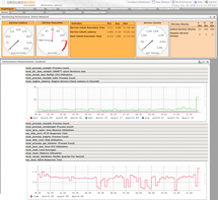
Powerful visualization tools enable operations teams to spot emergent patterns and trends across servers, applications, storage and services.
Automatic configuration of system, application and network monitoring
Combine SNMP, log, availability and performance information in a single display with or without monitoring agents.
Reduce time to resolution
The included Event Console provides flexible views that integrate with your existing processes and systems including incident and asset management tools.
Configurable and customizable
GWOS Enterprise is a portal application that provides custom views for administrators, operators and executives with role-based security.
Open and Flexible
Open platform that is easy to extend via the included SOAP API and developer portal.
Scaling solved
Enterprise edition is tuned and tested to scale to tens of thousands of monitored devices. Start with an Enterprise Quickstart deployment and the solution will scale as your monitoring needs grow.
Features
Included features for local and cloud deployment of GroundWork Monitor Enterprise Edition.
| Enterprise Edition |
| Availabilty monitoring | |
| Performance monitoring and graphing | |
| Auto discovery and configuration | |
| Operating system monitoring | |
| Network device monitoring | |
| Application monitoring | |
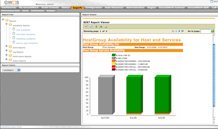
| Operational and capacity planning reports | |
| Role-based access control | |
| Custom dashboards and dashboard builder | |
| Automatic alert escalation | |
| Downtime scheduling with alarm suppression | |
| Web server monitoring profiles | |
| Application server monitoring profiles | |
| Email (including Exchange) monitoring profiles | |
| Database monitoring profiles |
Compare Nagios
GroundWork Monitor Enterprise Edition delivers several open source solutions in a single, cohesive solution that is ready to run large environments.
| Enterprise Edition | Nagios |
| Performance graphs | ||
| Enterprise database included | ||
| Web-based configuration | ||
| Auto-discovery and configuration | ||
| Reporting engine and report builder | ||
| Dashboards | ||
| Event console | ||
| Role-based permissions and access control | ||
| LDAP and Active Directory integration | ||
| Complete software stack support | ||
| Pre-built monitoring profiles | ||
| Network monitoring and traffic graphing | ||
| JBoss enabled presentation tier with standardized SOAP APIs | ||
| Supported deployment either in the Cloud or your server |
Compare to Big 4
GroundWork Monitor Enterprise Edition delivers a proven alternative to systems and network management solutions like HP Operations (OpenView and NNM), IBM Tivoli, CA Unicenter and BMC Patrol.
| Enterprise Edition | Big 4 |
| Up to 80% less than your current maintenance cost | ||
| A $49 trial deployment to monitor 100 devices for a side by side comparison | ||
| Ability to integrate into existing reports and tools to not interrupt protocol | ||
| Option to deploy monitoring solution within your datacenter or in Amazon Cloud | ||
| Over 1,500 plugins to automatically monitor servers, applications and devices for no extra cost | ||
| Open API’s to extend and integrate your monitoring solution | ||
| Pre-built connectors to other ITSM systems at a fixed price (examples are BMC Patrol Enterprise Manager, IBM Tivoli Enterprise Console, BMC Remedy Service Desk and Service Desk Express) | ||
| False alarm suppression without complex rule definition |
* Nagios is a registered trademark of Nagios Enterprises


