GroundWork Monitor Screenshots
If you’re an operator you might be interested in…
If you’re a network or system administrator you might be interested in…
If you're a manager or executive you might be interested in…
Status Viewer
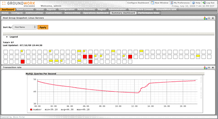
The status viewer gives a roll-up view of overall monitoring state allowing operators and managers to know the status of their operations at a glance. More detailed information is available with a single-click on the color-coded status panels.
Host status is summarized at the top-level, machines in trouble or at warning level is color-coded and clickable to show a lower-level of detail. A host group-based summary is also provided; this makes problems that affect entire groups of machines (such as a failed switch) visible to operators and managers.
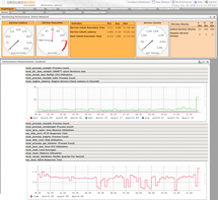
Drilling down to an individual service shows key information needed by a system administrator to assess and remediate a problem.
- A summary of the problem including when it was identified and when the last check was performed.
- When available performance information for the service is graphed. This helps the administrator understand the recent history of the system, is this a spike, a gradual increase in demand or a sudden failure?
- Event associated with this service are also listed, is this problem intermittent or recurring and if so how often?
- Service comments allow operators and administrators to annotate services with contact information and other operational information, having this information at their fingertips allows system administrators to resolve problems more quickly.
- Administrators can take appropriate actions to resolve issues directly from this screen including acknowledging the problem, disabling checks, scheduling downtime or updating the system status.
Dashboards
The included dashboard builder allows creation of customized views tailored to the needs of NOC operators, system administrators, IT managers and executives. Up-to-date monitoring status information can be combined with external tools such as trouble-ticketing, wikis and in-house web applications to create comprehensive view of your operations.
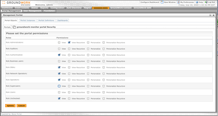
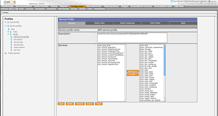
Dashboards are subject to the underlying roles and permissions model in GroundWork Monitor, this allows dashboards to be restricted to authorized users and made read-only when appropriate.
Event Console
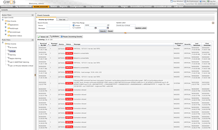
The event console is a high-volume event handling system optimized for environments with a large volume of monitoring information and a need to respond quickly to incoming events.
Monitored events are pushed to NOC operators as they arrive. The NOC console allows incoming messages to be classified according to the appropriate operational state and responded to quickly via the actions. The operational states and available actions can be customized to suit the needs of each installation.
The NOC console includes powerful filters that enable NOC operators to focus specifically on the events that apply to them. Views can be created based on host groups (e.g. all hosts in a particular location) severity and application type increasing productivity by eliminating noise from unrelated events.
Performance Graphing
GroundWork Monitor Professional provides graphing and reporting for performance data enabling tracking of capacity trends for planning purposes and allowing preventative corrective actions to be taken, reducing the need for unplanned downtime.
Reporting
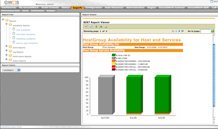
GroundWork Monitor Professional includes a selection of pre-canned reports for operational and strategic needs including availability, performance, outage, event, alert, and notifications. Specialized reports for log analysis highlight serious issues buried in the torrent of OS and application logs.
Host Group Availability - Per service availability reports identify which application components are experiencing the most downtime and require remediation.
Event History - Event history summarizes the health of the monitored environment by examining three aspects: status – availability of monitored systems, severity – level of problems reported, operational status – effectiveness of processing incoming events.
Enterprise Performance - Shows longer trends in performance metrics to identify additional capacity/procurement needs based on historical trends.
Integrating third-party and in-house applications
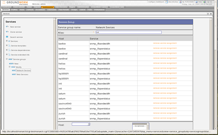
GroundWork Monitor makes an ideal platform for integrating your monitoring tools in to a single tool. Web applications can be ‘wrapped’ to become part of the GroundWork platform (Confluence Enterprise Wiki, right) and access granted based on user roles and permissions. Single-sign on is also supported.
Web components can also be included in executive dashboards, creating a one-stop shop for operations and IT management.